Define the market
State firmographic boundaries, exclusion rules, and the buyer role worth finding.
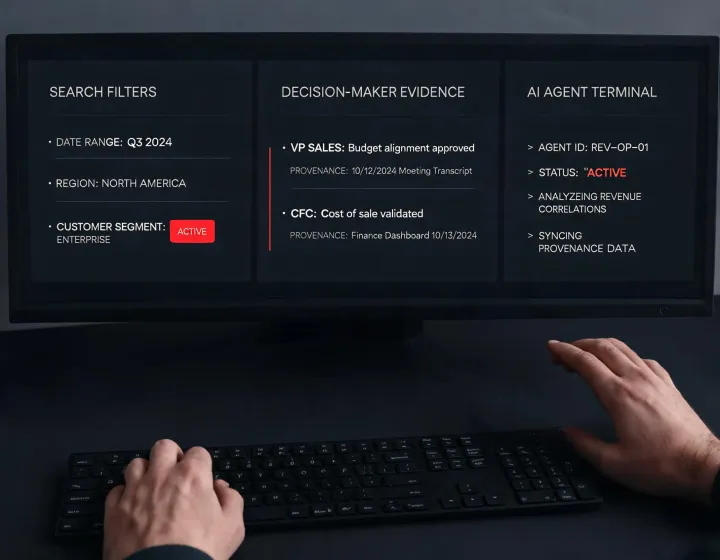
Use the dimensions below as evaluation questions, not as unsupported performance claims.
| Decision | Conventional seat workflow | Agent-native research |
|---|---|---|
| Starting point | Open a separate sales application | Describe the ICP inside your working agent |
| Research trail | Often spread across tabs and exports | Keep criteria, results, and notes in one task |
| Send control | Sequence rules vary by platform | Require human approval before outreach |
| Cost model | Frequently tied to seats or credits | Inspect package and provider costs before use |
State firmographic boundaries, exclusion rules, and the buyer role worth finding.
Review company context, technographic clues, source notes, and data gaps.
Treat email status and role relevance separately; unknown remains unknown.
Export only records a person has reviewed for targeting and regional policy.
Build an ICP from industry, geography, scale, and operating context.
Use technology signals as research inputs, never as certainty by themselves.
Separate provider coverage from provenance and cost implications.
Record verification state without promising zero bounces or inbox placement.
Keep targeting, message approval, and send decisions human-controlled.
Preserve the brief, applied filters, unresolved fields, and handoff notes.
npx -y @okki-global/okki-go-taroballSuccess signal: the command—not a prompt character—is copied.
Review the package name and npm execution warning, then run it in the environment that hosts your agent.
Keep provider keys in your runtime secret store. Do not paste secrets into prompts, logs, or shared transcripts.
Ask for a small account set with explicit filters, provenance notes, and a human review checkpoint.
Config-dependent. Document each connected provider, permitted purpose, and provenance field.
Verify locally. Store secrets outside prompts and rotate them under your own access policy.
Inspect before run. Review package behavior, network access, and runtime permissions.
Not assumed. Confirm logs, cached results, exports, and deletion procedures in your environment.